







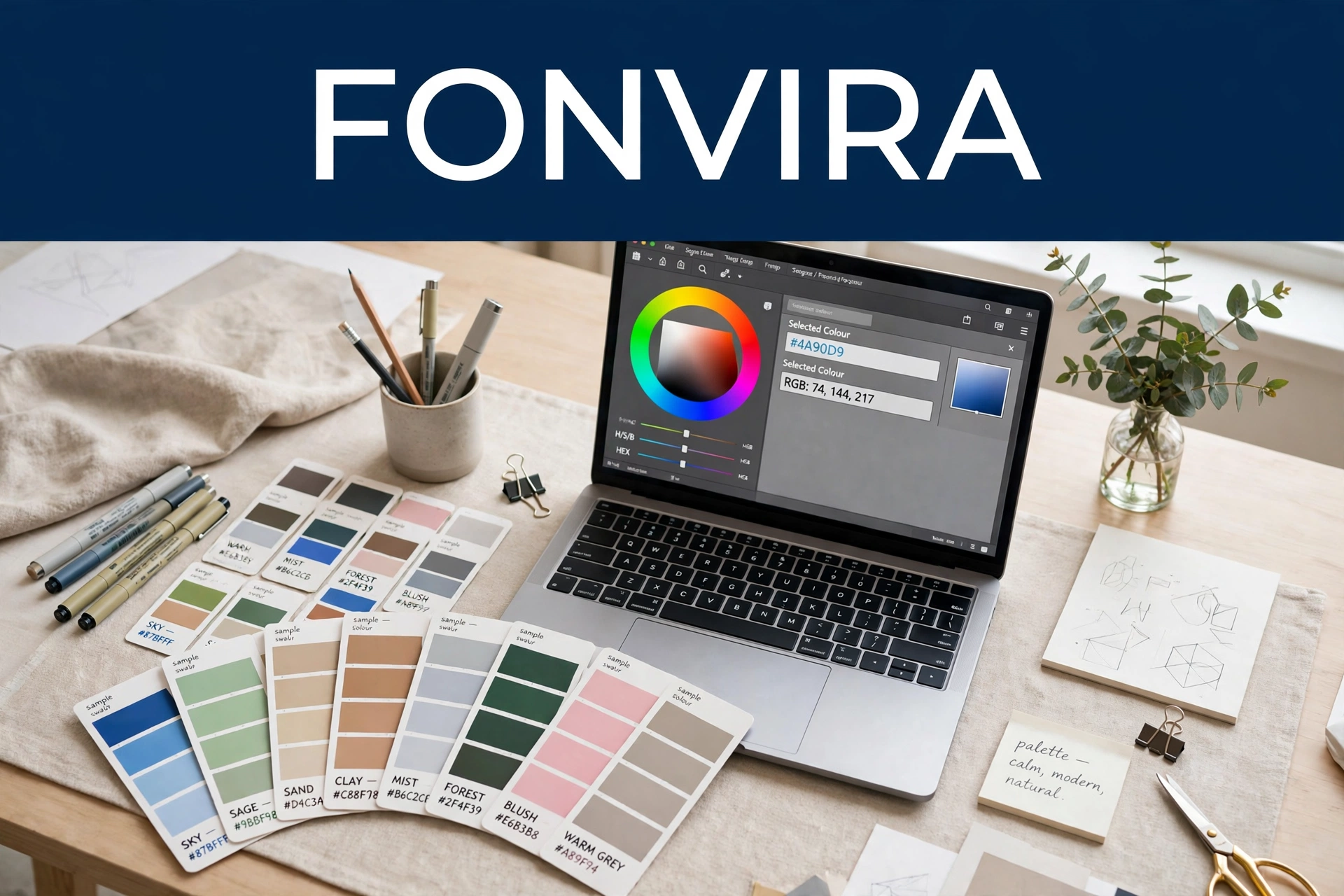
Fonvira is a free, browser-based colour picker and converter. In short, you pick a colour or paste a HEX value, and it instantly shows the matching RGB and HSL values beside a live preview, ready to copy into your work.
When people search for Fonvira, they usually want a simple answer. They may be designing a website, choosing a brand colour, or writing CSS, and they want to know what the tool does and whether it costs anything. This article answers those questions in plain language: the tool is free, it runs in the browser with nothing to install and no account to create, and its job is to move one colour between the three notations designers use every day.
What Is Fonvira?
Fonvira is an online utility that helps people work with digital colour codes. Its official interface includes a colour-selection control and a HEX input, with matching RGB and HSL readouts and copy buttons, and the operator says the service is available in desktop and mobile browsers and requires no registration.
Fonvira presents the same selected colour in three widely used digital notations, helping users transfer values into compatible applications and stylesheets. Its About page describes it as a designer’s pocket colour companion, made because hunting for the right HEX-to-RGB value mid-design should not take more than a second. It is built and maintained as a free, browser-based utility, and its website’s copyright notice references 2026.
How Does Fonvira Work?
Using Fonvira takes only a few steps. First, pick a colour with the colour-selection control, or paste a HEX value into the HEX input if you already have one. The tool then shows the matching RGB and HSL values beside a live preview of the shade, so you can see the colour as well as read its numbers. Finally, copy the value you need with the copy button and paste it into your design file, stylesheet, or document.
There is nothing to download and no account to create, which is the whole point of a browser tool: it is there when you need a value and gone when you do not. Because it runs in the browser, it works on desktop and on mobile, so a colour picked on a phone can be copied into a project just as easily as one picked on a desktop.
HEX, RGB, and HSL: What Is the Difference?
The three formats describe the same colour in different ways, and each one is useful in a different place. HEX is the short code used most often in web design and CSS, written as a hash followed by six characters, for example a code that a stylesheet can read directly. RGB describes a colour as three numbers from 0 to 255, one each for red, green, and blue, which matches how screens mix light. HSL describes it as hue, saturation, and lightness, with hue as an angle from 0 to 360 degrees, which matches how people think about colour: which shade it is, how strong it is, and how light or dark it is.
A designer usually copies HEX into CSS, a developer may read RGB when working with code that expects separate channels, and anyone adjusting a shade will find HSL the easiest to reason about, because raising the lightness lightens the colour without changing its hue. Fonvira’s job is to keep these three views in step, so changing one updates the others.
When Is Fonvira Useful?
Fonvira is useful whenever a colour needs to move between formats. A designer matching a brand colour to a website will copy the HEX value into a stylesheet. A developer building a component will paste RGB values into code. Someone choosing a palette will use HSL to lighten or darken a shade while keeping its character, then copy the result back as HEX.
It is also useful for quick checks. If a client sends a colour as a HEX code, the tool shows what it looks like before it goes into a design. If a screenshot shows a shade worth reusing, picking it in the tool gives all three notations at once. The live preview matters here: a code on its own is hard to judge, but a preview next to the numbers makes a wrong shade obvious immediately.
What Are the Limits?
Fonvira is small and focused, and its limits follow from that. It is a browser utility, so the colour you see depends on your screen, and a shade that looks right on one display may look slightly different on another. For everyday web and design work that is fine, but for print work, where colour must match a physical standard, a calibrated tool and a printed proof are still needed.
The terms of the service, dated 22 June 2026, say it is free for personal and commercial use, with conditions prohibiting misuse and misleading republishing. That is a normal arrangement for a free utility, and it means the tool can be used in client work as well as personal projects. The sensible habit is the same as with any free tool like Fonvira: use it for the job it does well, and do not rely on it for work that needs certified colour accuracy.
At a Glance
| Detail | What to know |
|---|---|
| Name | Fonvira |
| Website | fonvira.com |
| Type | Online colour picker and converter |
| Cost | Free, personal and commercial use |
| Formats | HEX, RGB, and HSL |
| How it works | Pick a colour or paste HEX, copy the value |
| Registration | None required |
| Install | None, runs in the browser |
| Devices | Desktop and mobile browsers |
| Live preview | Yes, beside the values |
| Terms dated | 22 June 2026 |
Frequently Asked Questions
What is fonvira?
It is a free, browser-based colour picker and converter that shows any shade as HEX, RGB, and HSL codes with a live preview.
Is Fonvira free?
Yes. According to its terms, it is free for personal and commercial use, with conditions prohibiting misuse and misleading republishing.
Do I need an account to use Fonvira?
No. The tool requires no registration and nothing to install, and it runs in desktop and mobile browsers.
What is the difference between HEX, RGB, and HSL?
HEX is the short code used in CSS, RGB gives red, green, and blue values from 0 to 255, and HSL gives hue, saturation, and lightness.
How do I use Fonvira?
Pick a colour with the colour control or paste a HEX value, read the matching RGB and HSL values beside the live preview, then copy the one you need.
Is Fonvira accurate enough for print work?
For everyday web and design work, yes. For print, where colour must match a physical standard, a calibrated tool and a printed proof are still needed.
Conclusion
In short, Fonvira is a small tool that does one job well: it takes a colour and gives it back in the three notations designers actually use, with a preview to check it and a copy button to move it on. It is free, it needs no account, and it fits in a browser tab beside the work itself.
For readers, the lesson of Fonvira is to keep colour simple. Pick the shade, copy the code, and get back to the design, because the value of a picker is measured in seconds saved, not in features listed. A tool that answers in one click earns its place in a workflow.
That is why a pocket colour companion is worth bookmarking, and it shows how the smallest utility can remove the most repeated friction from a designer’s day.
Related Reading: Eidesk: The Forgotten Web Name With No Clear History